00.Flex,Flash,ActionScript2013. 5. 13. 19:20
반응형

Taking screenshots in Flex 3 using the ImageSnapshot.captureBitmapData() method

By On November 17, 2007 · 11 Comments

As we saw in a previous entry, “Taking screenshots in Flex 3 using the ImageSnapshot.captureImage() method”, it is possible to take a screenshot of an item on the display list using the static ImageCapture.captureImage() method. Once the image is captured, we accessed the image’s pixel data using the ImageCapture object’s data property, which was displayed using the SWFLoader control.

The ability to load a ByteArray object directly into a SWFLoader was added in Flex 3 build 187814, you may need to update your SDK build by downloading a recent nightly build from http://labs.adobe.com/technologies/flex/sdk/flex3sdk.html.

The following example shows how you can take a snapshot of an item on the display list using the static ImageSnapshot.captureBitmapData() method, which returns a BitmapData object, as seen in the following snippet:

var imageBitmapData:BitmapData = ImageSnapshot.captureBitmapData(source);
swfLoader.source = new Bitmap(imageBitmapData);

Full code after the jump.

View MXML

<?xml version="1.0" encoding="utf-8"?>
<!-- http://blog.flexexamples.com/2007/11/17/taking-screenshots-in-flex-3-using-the-imagesnapshotcapturebitmapdata-method/ -->
<mx:Application xmlns:mx="http://www.adobe.com/2006/mxml"
        layout="vertical"
        verticalAlign="middle"
        backgroundColor="white">

    <mx:Script>
        <![CDATA[
            import mx.graphics.ImageSnapshot;

            private function takeSnapshot(source:IBitmapDrawable):void {
                var imageBitmapData:BitmapData = ImageSnapshot.captureBitmapData(source);
                swfLoader.source = new Bitmap(imageBitmapData);
            }
        ]]>
    </mx:Script>

    <mx:Array id="arr">
        <mx:Object col1="Row 1, Col 1" col2="Row 1, Col 2" />
        <mx:Object col1="Row 2, Col 1" col2="Row 2, Col 2" />
        <mx:Object col1="Row 3, Col 1" col2="Row 3, Col 2" />
        <mx:Object col1="Row 4, Col 1" col2="Row 4, Col 2" />
        <mx:Object col1="Row 5, Col 1" col2="Row 5, Col 2" />
        <mx:Object col1="Row 6, Col 1" col2="Row 6, Col 2" />
    </mx:Array>

    <mx:ApplicationControlBar dock="true">
        <mx:Button label="Take snapshot of DataGrid"
                click="takeSnapshot(dataGrid);" />
    </mx:ApplicationControlBar>

    <mx:HBox>
        <mx:DataGrid id="dataGrid" dataProvider="{arr}" />
        <mx:SWFLoader id="swfLoader">
            <mx:filters>
                <mx:DropShadowFilter />
            </mx:filters>
        </mx:SWFLoader>
    </mx:HBox>

</mx:Application>

View source is enabled in the following example.

Posted by 1010
00.Flex,Flash,ActionScript2013. 5. 13. 13:23
반응형

출처 : http://blog.marines.co.kr/archives/58

FLEX에서 SWFLoader를 이용하여 플래시SWF파일을 Embed시킬 경우에
간단하게 변수를 전달하는 것이 안되더군요. (SWFLoader.params = 어쩌고 이런 방식이 안됨;;)

이를 위해서는 이전부터 존재했던 LocalConnection을 사용하여야 통신이 가능합니다.

Javascript, AJAX를 사용하여도 되지만, 독립적인 실행이 가능하게 하려는 취지에는 맞지않지요.

private var lc:LocalConnection;

private function init():void {
lc = new LocalConnection();
lc.addEventListener(StatusEvent.STATUS, onStatus);
}

public function clickHandler():void {
webservice.getPhotoListArray.send();
}

private function onStatus(e:StatusEvent):void {
switch(e.level) {
case “status”:
trace(“swf send success”);
break;
case “error”:
trace(“Failed”);
break;
}
}

public function resultHandler(event:ResultEvent):void{
datas = ArrayCollection(event.result);
sendPhotoListData(datas, _imagePath);
}
private function onStatus(e:StatusEvent):void {
switch(e.level) {
case “status”:
trace(“swf send success”);
break;
case “error”:
trace(“Failed”);
break;
}
}
private function sendPhotoListData(data:*, _imagePath:String):void { //PhotoListData Request
try {
lc.send(“photoListData”, “dataHandler”, data, _imagePath);
}catch (e:Error) {
Alert.show(String(e));
}
}
public function faultHandler(event:FaultEvent):void {
Alert.show(event.fault.faultDetail, “Error”);
}


이와 같은 방법으로 FLEX의 송신부에서 localConnection 객체를 생성해주고 StatusEvent리스너를 달아줍니다.

FLASH의 수신부에는 아래의 코드를 입력해줍니다.

public function UIMFL_Base() {
Security.allowDomain(“*”);
//
lc = new LocalConnection();
lc.client = this;
try {
lc.connect(“photoListData”);
} catch (error:ArgumentError) {
trace(“Can’t connect…the connection name is already being used by another SWF”);
}
thumblist.mask = thumbMask;
}// End of Function

//Flex to Flash Data Response Handler Define
public function dataHandler(dt:*, _path:String):void {
var responseData:* = dt;
_strDomain = _path;
totalElementNum = responseData.length;
}


수신부에서는 이처럼 세팅합니다. 이런 방식으로 FLEX에서 플래시로 데이터를 전달할수 있고, 플래시에서 다시 FLEX로 데이터를 전달할때는 이 방식도 가능하겠지만, Event를 디스패치 시켜서 받는 방식도 가능합니다


private function init():void{
swfObj.content.addEventListener(“SWF_EVENT”, swfHandler);
}
private function swfHandler(e:Event):void {
currentOsgsSeq = e.target.currentTargetID;
}

Posted by 1010
00.Flex,Flash,ActionScript2013. 5. 10. 16:17
반응형


// 검색일자 초기화
    var now:Date = new Date();
    fromYYYYMMDD.selectedDate = now;      // 검색 : 시작일
    toYYYYMMDD.selectedDate = DateUtil.addDays(now,1); // 검색  : 종료일

----------------- dateutil.as

package biz.sehwa.core.utils
{
 public class DateUtil
 {
  public function DateUtil()
  {
  }
  
  /**
   * Add Month
   *
   * @param date:Date
   * @param months:Number Month Count
   * @return Date
   */
  public static function addMonths(date:Date, months:Number):Date{
   var rtnDate:Date = new Date(date.getFullYear(), date.getMonth() + months, date.getDate());
   return rtnDate;
  }
  
  /**
   * Add Week
   *
   * @param date:Date
   * @param weeks:Number Week Count
   * @return Date
   */
  public static function addWeeks(date:Date, weeks:Number):Date {
   return addDays(date, weeks*7);
  }
  
  /**
   * Add Date
   *
   * @param date:Date
   * @param days:Number Date Count
   * @return Date
   */
  public static function addDays(date:Date, days:Number):Date {
   return addHours(date, days*24);
  }
  
  /**
   * Add Hours
   *
   * @param date:Date
   * @param hrs:Number Hour Count
   * @return Date
   */
  public static function addHours(date:Date, hrs:Number):Date {
   return addMinutes(date, hrs*60);
  }
  
  /**
   * Add Minutes
   *
   * @param date:Date
   * @param mins:Number Minute Count
   * @return Date
   */
  public static function addMinutes(date:Date, mins:Number):Date {
   return addSeconds(date, mins*60);
  }
  
  /**
   * Add Seconds
   *
   * @param date:Date
   * @param secs:Number Seconds Count
   * @return Date
   */
  public static function addSeconds(date:Date, secs:Number):Date {
   var mSecs:Number = secs * 1000;
   var sum:Number = mSecs + date.getTime();
   return new Date(sum);
  }
 }
}

Posted by 1010
반응형

Flex 4 animate properties

by on Jan.25, 2010, under Actual RIA info, Adobe AIR, Adobe Flex

I came across a situation while doing a Flex 4 upgrade for an Adobe Developer Center sample app where I wanted to use some the Spark animate properties classes.

This is SO cool because it gives you truly granular control over every aspect of a component you want to animate. In the sample I’m upgrading, there is an extended TileGroup component that has three columns and two rows of charts for an enterprise dashboard application. When a user clicks a button to zoom in on any given chart, I wanted to make use of some of the new Spark effects to really create a 3D look and feel quickly (without delving too much into custom layouts). Actually, the layout I made is a custom TileGroup, but I wanted to point out some ways you can use the Animate class to make sweet transitions on any property of a component in your own apps for simple animation, without having to create custom layouts.

This super simple test was to find out if I could use the Animate class to move the entire TileGroup to a new X,Y and increase its horizontalGap and verticalGap at the same time. In other words, could I use the Animate class to create my whole animation in one shot, truly custom? I watched Chet Haase on Adobe TV’s Codedependent on animating properties, and it worked great, but I needed it running in ActionScript.

The above code is the MXML that worked great for my test, and here’s the AS3 equivalent:

01
02
03
04
05
06
07
08
09
10
11
12
13
14
15
16
17
18
19
20
21
22
23
24
25
26
27
28
29
30
31
32
33
34
35
36
37
38
39
40
import spark.effects.Scale;
import spark.effects.Move;
import mx.effects.Parallel;
import spark.effects.Animate;
import spark.effects.animation.MotionPath;
import spark.effects.animation.SimpleMotionPath;
import flash.events.MouseEvent;
public function handleClick(event:MouseEvent):void
{
var p:Parallel = new Parallel(t);
p.duration = 1000;
var s:SimpleMotionPath = new SimpleMotionPath();
s.valueFrom = t.horizontalGap;
s.valueTo = 200;
s.property = "horizontalGap";
var s2:SimpleMotionPath = new SimpleMotionPath();
s2.valueFrom = t.verticalGap;
s2.valueTo = 200;
s2.property = "verticalGap";
var v:Vector. = new Vector.();
v.push( s );
v.push( s2 );
var a:Animate = new Animate();
a.motionPaths = v;
var m:Move = new Move();
m.xTo = t.width/2;
m.yTo = t.height/2;
p.addChild( a );
p.addChild( m );
p.play();
}

Thanks to Chet too for spotting what my tired eyes didn’t see :P sheesh, it’s been one of those days.

This sample is not very exciting, except for the fact that it gives you the idea how you can animate any property over time. If I wanted to (and I have for my project) animate the x, y, z, width, and height at the same time using the Animate class, you could easily create a very specific animation this way.

For my purposes, I used the SimpleMotionPath to specify certain properties to change, and since the Animate class’s Interpolator is set to NumberInterpolator by default, it worked out great to fill in the steps for the “tween” automatically for me. I’d like to get to the point where I come up with my own Flat-terpolator for some other project one day just to see what I can create, but for now, this worked out fine.

You can download the FXP for this sample and try it out yourself here. Once you see how this works, you can imagine the possibilities afforded to Flex 4 that will allow you to make some truly amazing animations. Mine’s turning out to be pretty cool, but you’ll have to wait until the ADC releases it :P In the meantime, you can get started on this one to catch up on Flex 4 and Flash Builder.
Posted by 1010
00.Flex,Flash,ActionScript2013. 4. 25. 15:54
반응형

<?xml version="1.0" encoding="utf-8"?>
<s:MXAdvancedDataGridItemRenderer xmlns:fx="http://ns.adobe.com/mxml/2009"
          xmlns:s="library://ns.adobe.com/flex/spark"
          xmlns:mx="library://ns.adobe.com/flex/mx"
          focusEnabled="true"
          autoDrawBackground="false"> <-- 마우스 오버시 백그라운드 
 <fx:Script>
  <![CDATA[
   import mx.controls.AdvancedDataGrid;
   import mx.controls.advancedDataGridClasses.AdvancedDataGridListData;
   
   private const NORMALCY_COLOR:uint = 0x000000; // 0:정상(검정)
   private const PROBLEM_COLOR:uint = 0xFF0000; // 1:장치이상(빨강)
   private const INSPECTION_COLOR:uint = 0xFFFF00; // 2:점검(노랑)
   private const WARNING_COLOR:uint = 0xFF9900; // 3:경고(주황)
   private const DANGER_COLOR:uint = 0xFF0000; // 4:위험(빨강)
   
   private var strData:String;
   private var strDataError:String;
   
   override public function set data(value:Object) : void {
//    super.data = value;
    var arryStr:Array;
    if(value != null){
     
     var tmpStr:String  = (value[AdvancedDataGridListData(listData).dataField]) as String;
     arryStr = tmpStr.split("/");
     if(arryStr.length > 1){

      itemLabel.text = arryStr[0] as String;
      itemLabel.setStyle("color",getTLDS_TC_Color(arryStr[1]));
      
      strData = arryStr[0] as String;
      strDataError= arryStr[1] as String;
      itemLabel.addEventListener(MouseEvent.ROLL_OVER,overToolTip);
     }
    }
   }
   
   private function overToolTip(event:Event):void{
    this.toolTip = "[측정값:"+this.strData+"] [상태:"+getTLDS_TC_ErrorMsg(strDataError)+"]";
   }
   
   
   private function getTLDS_TC_Color(val:String):* {
    var rt:uint = 0x000000;
 
    //0:정상, 1:장치이상, 2:점검, 3:경고, 4:위험
    switch(val) {
     case "0": rt = 0x000000; break; //정상 검정  0x000000
     case "1": rt = 0xFF0000; break; //에러 빨강
     case "2": rt = 0xFFFF00; break; //주의 노랑
     case "3": rt = 0xFF9900; break; //경고 주황
     case "4": rt = 0xFF0000; break; //에러 빨강
    }
    return rt;
   }
   
   private function getTLDS_TC_ErrorMsg(val:String):String {
    var rtnStr:String = "";
    
    //0:정상, 1:장치이상, 2:점검, 3:경고, 4:위험
    switch(val) {
     case "0": rtnStr = "정상"; break; //정상 검정  0x000000
     case "1": rtnStr = "에러"; break; //에러 빨강
     case "2": rtnStr = "주의"; break; //주의 노랑
     case "3": rtnStr = "경고"; break; //경고 주황
     case "4": rtnStr = "에러"; break; //에러 빨강
    }
    return rtnStr;
   }
  ]]>
 </fx:Script>
 
 <s:Label id="itemLabel" text="" left="2" right="2" verticalCenter="0" backgroundAlpha="0"/> <-- 여기도...(랜더러로 만들지 않고 그냥 컴포넌트로 만들면 이부분만 처리해주면됨... 랜더러로 만드려면 위에 부분에 처리해줘야 함..

1시간 삽질후~~


</s:MXAdvancedDataGridItemRenderer>


Posted by 1010
00.Flex,Flash,ActionScript2013. 4. 24. 19:29
반응형

출처 : http://eflex.tistory.com/entry/DataGrid-%EC%A0%84%EC%B2%B4-%EB%8B%A4%EC%8B%9C-%EA%B7%B8%EB%A6%AC%EC%A7%80-%EC%95%8A%EA%B3%A0-%EB%8D%B0%EC%9D%B4%ED%84%B0%EB%A7%8C-%EA%B0%B1%EC%8B%A0%ED%95%98%EA%B8%B0


<?xml version="1.0" encoding="utf-8"?>
< s:Application xmlns:fx="http://ns.adobe.com/mxml/2009"
xmlns:s="library://ns.adobe.com/flex/spark"
xmlns:mx="library://ns.adobe.com/flex/mx" creationComplete="application1_creationCompleteHandler(event)" >


<fx:Script>
<![CDATA[
import mx.collections.ArrayCollection;
import mx.events.CollectionEvent;
import mx.events.FlexEvent;

[Bindable]
private var ac:ArrayCollection = new ArrayCollection();
private var arr:Array = new Array();

protected function application1_creationCompleteHandler(event:FlexEvent):void
{

arr.push({first:"aaaaa", second:"bbbbbb"});
arr.push({first:"ccccc", second:"dddddd"});
arr.push({first:"eeeee", second:"ffffff"});
arr.push({first:"ggggg", second:"iiiiii"});
arr.push({first:"aaaaa", second:"bbbbbb"});
arr.push({first:"ccccc", second:"dddddd"});
arr.push({first:"eeeee", second:"ffffff"});
arr.push({first:"ggggg", second:"iiiiii"});

ac.source = arr;
dg.dataProvider = ac;
}


protected function button1_clickHandler(event:MouseEvent):void
{
//var arr2:Array = new Array();
arr[0]={first:"2222", second:"bbbbbb"};
arr[1]={first:"333", second:"dddddd"};
arr[2]={first:"444", second:"ffffff"};
arr[3]={first:"5555", second:"iiiiii"};

ac.refresh();
//또는 dg.dataProvider.dispatchEvent(new CollectionEvent(CollectionEvent.COLLECTION_CHANGE));
}

]]>
</fx:Script>

<mx:DataGrid id="dg" >
<mx:columns>
<mx:DataGridColumn dataField="first" />
<mx:DataGridColumn dataField="second"/>
</mx:columns>
</mx:DataGrid>

<mx:Button id="addBtn" y="200" label="add" click="button1_clickHandler(event)"/>
< /s:Application>

Posted by 1010
00.Flex,Flash,ActionScript2013. 4. 12. 10:33
반응형

6 Tips for a Great Flex UX: Part 4

By Theresa Neil

Since the book focuses on rich interactions, I want to spend some time on Adobe Flex/AIR.

These tips are based on the best Flex resources I have found, and how you can use them to craft a great user experience. This is part 4 of 6:

Stock your Toolbox: 40+ Custom Flex Controls

Flex 3 includes a wide range of controls. Unfortunately, it doesn’t have all of the Essential Controls I use for RIA design. But fortunately, talented and industrious Flex developers have created numerous custom controls for Flex.
40_flex_custom_controls1

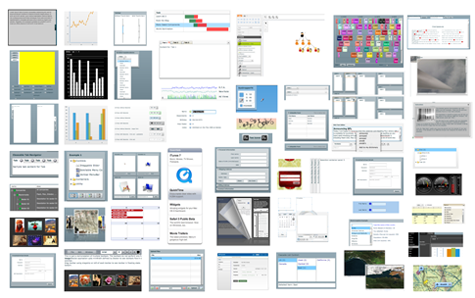
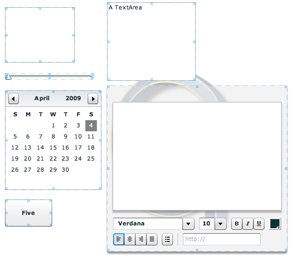
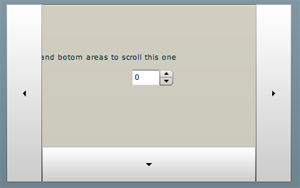
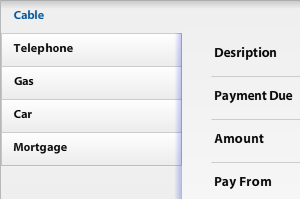
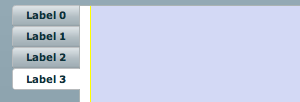
I pulled together a visual repository of custom Flex controls. Most of these controls were created to showcase certain functionality- not usability best practices. So some may need further refinement to comply with the usability principles discussed in the previous posts. Click on the picture for the demo.

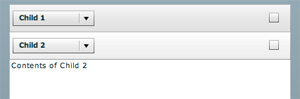
01. Accordions

accordion_with_custom_header
Complex Headers
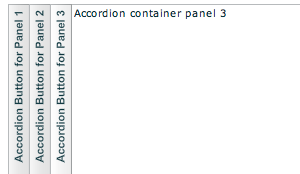
accordion_horizontal
Horizontal Accordion
accordion_apple_style

Apple Style
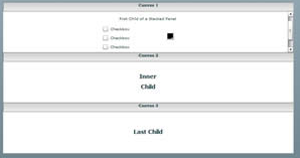
More under ‘Collapsible Panels’

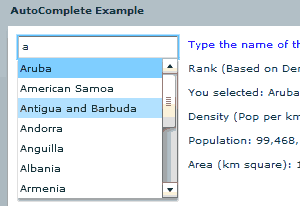
02. Auto Complete

auto_complete
More Examples

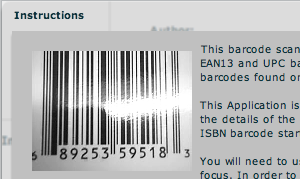
03. Bar Code Generator

barcode_reader

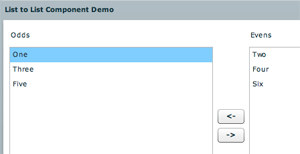
04. Build a List

build_a_list2

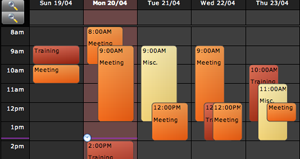
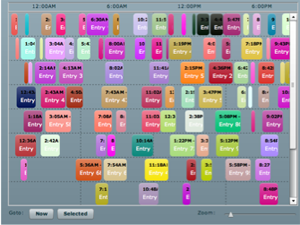
05. Calendar/Scheduler

calendar1
ILog Elixir
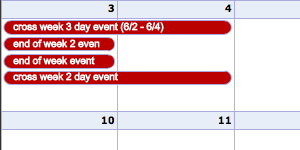
calendar
Ely Greenfield’s early Scheduler
calendar_scheduling
Adobe’s Scheduler on flexlib see flexlib.scheduling package

06. Captcha

captcha

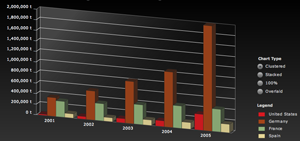
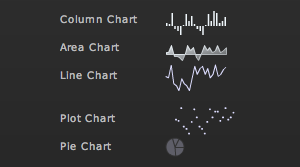
07. Charts & Graphs

chart
3D charts by iLog Elixir
graph_drill
Chart Drill Down with Animation
dash
Dashed Line Series
graph_compress
Chart Offest
legend
Advanced Legend
scroll_zoom
Scroll and Zoom

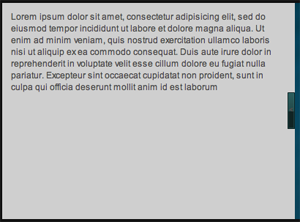
08. Collapsible Panels

collapsible_panels
Window Shade- panels roll up and down
collapsible
Arc90’s Collapsible Panel
stacked_panels
Early Stacked Panels

09. Cover Flow

coverflow1
Doug McCune’s updated Cover Flow

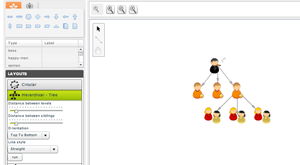
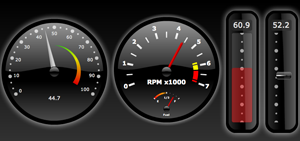
10. Data Visualization

diagrammer
gauge
Kap IT Lab
ILog Elixir
BirdEye

11. Docking

dockable

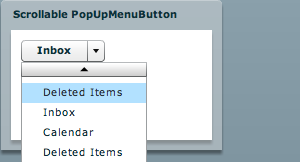
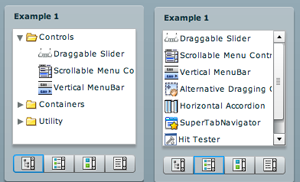
12. Drop Down Menu with Scrolling

menu_scrolling

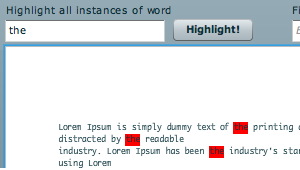
13. Find and Highlight Text

highlight
In flexlib as Highlighter

14. Fisheye Menu (like Mac Dock)

dock

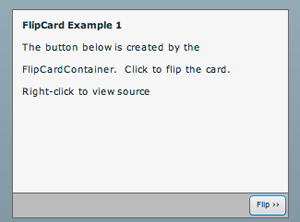
15. Flip Card

flip

16. Floating

floating

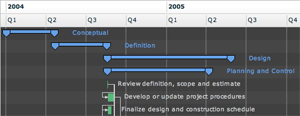
17. Gantt Chart

gantt
ILOG Elixir Gantt
gantt
Doug McCune’s Early Gantt Chart

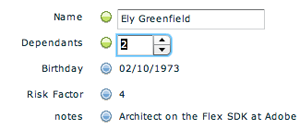
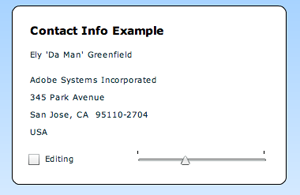
18. Inline Edit (Fields)

inline_edit
Early example by Ely Greenfield
inplace_edit
Modal editing variation by Ryan Swanson
* The hover invitation to edit on a field by field basis (like Flickr) works best for infrequent edits

19. Icon Loader

image_converter
On flexlib under Icon Loader

20. List/Tree Converter

list_tree
On flexlib under Convertible Tree List

21. Mask (text input and validation)

mask
On Adobe Flex Exchange

22. Multiple Document Interface (MDI)

mdi1
On flexlib under flexlib.mdi

23. Magnify

magnify1
magnify_big

24. Map Callouts

map_callouts

23. Pan and Zoom

pan_zoom

24. Page Turn

page_turn
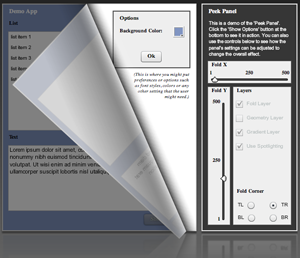
Peek Panel by Bill White (nice blog)
Ely Greenfield’s early FlexBook

Didier Braun’s PageFlip

25. Pivot Table

pivot
Satish’s Pivot Table
pivot_flexmonster
Flex Monster product

26. Resize

resize1
Resizeable and moveable window
resize
Resize Objects with ResizeManagerFX

27. Scrolling-Internal

scroll_panel
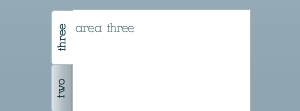
In flexlib as Drag Scrolling Canvas

28. Side Tabs/Vertical Tabs

side_tabs
Degrafa ToggleButtonBar vertical tabs
side_tabs_2
side_tabs_3
Vertical Tab Navigator

29. Sliders

slider_dual

30. Sliding Panel

slide_panel

Early example
Slide out menu with effects instead of states

31. Sparklines

sparkline
More examples:
Fusion Charts
Sherlock Informatics
Birdeye
19nates

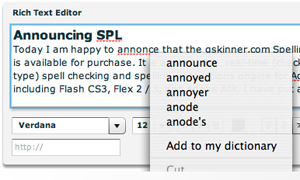
32. Spell Check

spell_check
There is also a Spell Check component on Flex Exchange

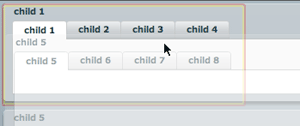
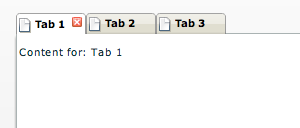
33. Tabs (configurable)

tab_2

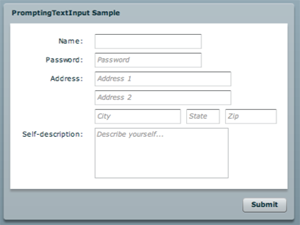
34. Text Prompt/ Watermark Fields

watermark
At flexlib under prompting TextInput

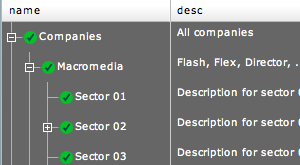
35. Tree Table

tree_table
Early Tree Grid

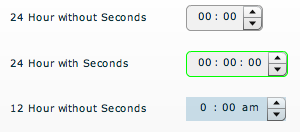
36. Time Picker

time
Alternate one on Flex Exchange as Time Chooser

37. Toolbars

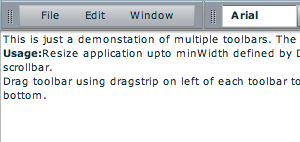
toolbars

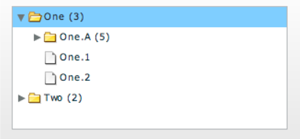
38. Trees

tree
Open branches by clicking on the row
Adding leaf notes
Showing XML
Rearranging nodes with drag and drop
Drag from a Grid to a Tree

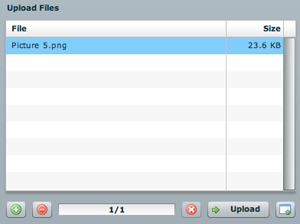
39. Upload Files

upload

40. Vertical Browse

vertical_browse

Comment with your custom Flex controls

Posted by 1010
반응형

출처 : http://blog.naver.com/PostView.nhn?blogId=dennis0203&logNo=140133999738&redirect=Dlog&widgetTypeCall=true

에러내용

faultCode:InvokeFailed faultString:'[MessagingError message='Destination 'memberDao' either does not exist or the destination has no channels defined (and the application does not define any default channels.)']' faultDetail:'Couldn't establish a connection to 'memberDao''

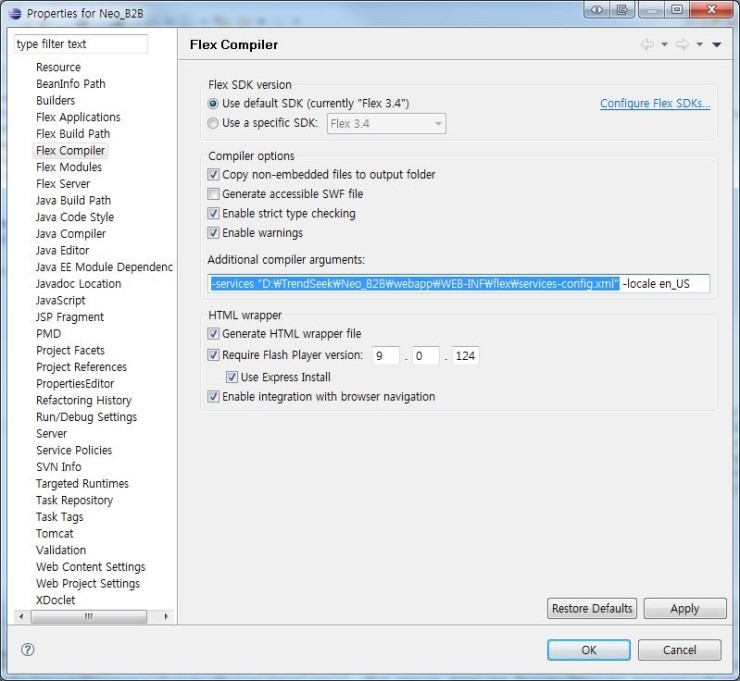
이런 애러가 나는 이유는 플렉스 컴파일러가 services-config.xml을 못찾기 때문이다.

Properties - Flex Compiler - Additional compiler arguments 에 다음과 같이

-services "절대경로\service-config.xml" 을 추가해주면 문제는 해결된다.

또는 Navigator로 프로젝트 루트에 .actionScriptProperties 파일을 직접 수정해도 된다.

<compiler additionalCompilerArguments="-services & quot;/프로젝트 절대경로/services-config.xml&quot; -locale en_US" copyDependentFiles="true" enableModuleDebug="true" generateAccessible="true" htmlExpressInstall="true" htmlGenerate="true" htmlHistoryManagement="true" htmlPlayerVersion="9.0.124" htmlPlayerVersionCheck="true" outputFolderPath="bin-debug" sourceFolderPath="flex_src" strict="true" useApolloConfig="false" verifyDigests="true" warn="true">

추가로

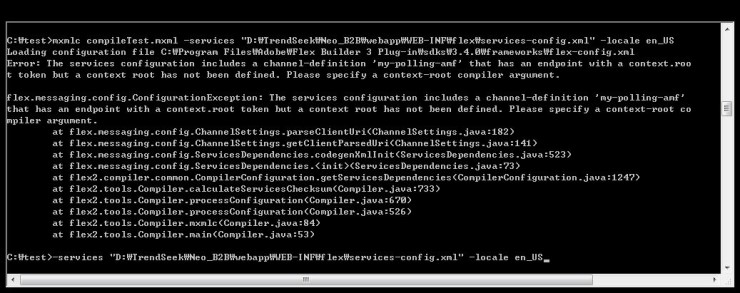
그래도 컴파일이 되지 않는 경우가 있다.. 머가 하나 빠뜨린게 있어서..

콘솔로 컴파일 해보니 다음과 같은 에러가 난다. '...context root has not been defined...'

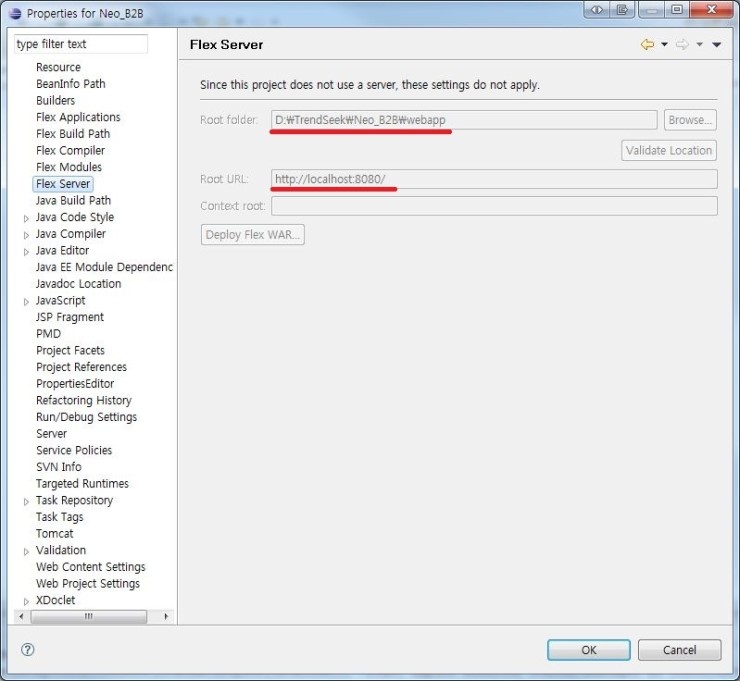
Properties - Flex Server 에 다음과 같이 입력하거나

Navigator로 프로젝트 루트에 .flexProperties 파일을 직접 수정하면 된다.

<flexProperties flexServerType="0" serverContextRoot="" serverRoot="D:/TrendSeek/Neo_B2B/webapp" serverRootURL="http://localhost:8080/" toolCompile="true" useServerFlexSDK="false" version="1"/>
Posted by 1010
반응형
Posted by 1010
반응형

Source Code:
BrightPoint Flex Library - This contains the complete collection of BrightPoint source code used in many of the projects that have been open sourced on this website
Coming Soon. Email support [at] brightpointinc [dot] com if you need a copy immediately.
Micro Charts - Source code for the Micro Charts that can be seen in the Gallery.
Coming Soon. Email support [at] brightpointinc [dot] com if you need a copy immediately.
Gauge Component - Source code for the Gauge Component that can be seen in the Gallery.
Coming Soon. Email support [at] brightpointinc [dot] com if you need a copy immediately.
Google Finance - Source code for the Google Finance Demo that can be seen in the Gallery.
Coming Soon. Email support [at] brightpointinc [dot] com if you need a copy immediately.

Posted by 1010