카테고리 없음2016. 6. 20. 17:14
반응형

1. 관리자 권한으로 실행 cmd


2. tbdown clean


3. tbboot


Posted by 1010
카테고리 없음2016. 6. 18. 21:34
반응형

How to install and configure Wowza Streaming Engine

This guide will help you to download, install, and configure Wowza Streaming Engine™ media server software for live and video-on-demand (VOD) streaming.

Contents


Introduction
Download and install Wowza Streaming Engine
Start the software
Perform a streaming test
Next steps

Introduction


Wowza Streaming Engine (formerly known as Wowza Media Server™) is a high-performance, extensible, and fully interactive media streaming software platform that provides live and on-demand streaming, chat, and remote recording capabilities to a wide variety of media player technologies. One of the benefits of Wowza Streaming Engine is the easy-to-use, browser-based Wowza Streaming Engine Manager for creating and managing live and VOD streams. Before you can start streaming, however, you need to download, install, and configure Wowza Streaming Engine, and then test a stream to make sure that everything works.

Important:

Download and install Wowza Streaming Engine


Wowza Streaming Engine is a small but powerful Java server. When you install Wowza Streaming Engine, it automatically installs a server version of the Java Runtime Environment (JRE) that it requires, making it easy to get your media server up and running.

Note: If you can't or don't want to use the version of Java that installs with Wowza Streaming Engine, you can use a different JRE. Wowza Streaming Engine requires a JRE that supports deploying Java in a server environment. Java 6, 7, and 8 are all supported but Java 8 is recommended. For more information on how to install a different, supported version of Java and how to instruct Wowza Streaming Engine to use it, see Installing Java.
  1. Go to the Wowza Downloads webpage and click Download for the installer for your desired operating system.

  2. When the download completes, do one of the following:

    • Windows: Double-click the installer file, WowzaStreamingEngine-4.4.1-windows-installer.exe, and follow the wizard instructions.

    • OS X: Double-click WowzaStreamingEngine-4.4.1-osx-installer.dmg file and then double-click the WowzaStreamingEngine-4.4.1-osx-installer package icon and follow the wizard instructions.

    • Linux: Navigate to the folder that contains the downloaded Linux package and then execute the following commands, depending on your platform. Then, follow the wizard instructions.

    64-bit Linux systems
    sudo chmod +x WowzaStreamingEngine-4.4.1-linux-x64-installer.run
    sudo ./WowzaStreamingEngine-4.4.1-linux-x64-installer.run
    32-bit Linux systems
    sudo chmod +x WowzaStreamingEngine-4.4.1-linux-installer.run
    sudo ./WowzaStreamingEngine-4.4.1-linux-installer.run
    During the installation process, you'll be asked:

    • To accept the terms of the license agreement.

    • To enter a valid product license key. If you acquired a new license key, you'll find it in the email that you received from Wowza Sales. If you have a previous version of the Streaming Engine software installed, you may be able to use the license key found in the [install-dir]/conf/Server.license file.

    • To create a user name and password for an Administrator account. You'll use this account to sign in to the browser-based Wowza Streaming Engine Manager. The user name and password values are case-sensitive.

    • To confirm or change the install location. By default, Wowza Streaming Engine installs files in the following directories:

      • Windows: /Program Files (x86)/Wowza Media Systems/Wowza Streaming Engine 4.4.1/

      • OS X:
        • /Applications/Wowza Streaming Engine 4.4.1/
        • /Library/LaunchDaemons/
        • /Library/WowzaStreamingEngine/ (an alias)
        • /Library/WowzaStreamingEngine-4.4.1/

      • Linux: /usr/local/WowzaStreamingEngine-4.4.1/ (as the root user)

    • If you want to start Wowza Streaming Engine and the Streaming Engine Manager automatically after the installation finishes, accept the default option Start Wowza Streaming Engine automatically. This option configures the server and manager software to start automatically as system services. If you don't choose these options, you must start the server software and the manager manually before you can create video streams.

Note: A silent installation option is available for all platforms, including Red Hat Package Manager and Debian Package Manager options for Linux. Please note that approval is required to activate this option. For more information, contact sales@wowza.com.

Start the software


If, during installation, you didn't elect to start the server and manager software automatically as system services, you must start them manually. Start them by following the instructions for your operating system.

Start the software as a service (Windows)

  1. Press WIN key + R.

  2. In the Run dialog box, type services.msc and then click OK.

  3. In the Services window, right-click Wowza Streaming Engine 4.4.1 and choose Start.

  4. Confirm that the engine is running by opening a web browser and entering the following URL:

    http://[wowza-ip-address]:1935

    For [wowza-ip-address], use the IP address or domain of the local or remote Wowza media server. For example:

    http://localhost:1935

    The browser should display the Wowza Streaming Engine version number. If not, check to see if the server software installed correctly and that TCP port 1935 is open on your router, firewall, and/or software firewall.

  5. After the Wowza Streaming Engine media server software is running, start Wowza Streaming Engine Manager. Switch to the Services window, right-clickWowza Streaming Engine Manager 4.4.1, and choose Start.

Start the software as a service (OS X)

  1. Go to /Applications/WowzaStreamingEngine-4.4.1/ and double-click Start Services.

    Running the Start Services application starts both Wowza Streaming Engine server software and Wowza Streaming Engine Manager as system services.

  2. Confirm that the engine is running by opening a web browser and entering the following URL:

    http://[wowza-ip-address]:1935

    For [wowza-ip-address], use the IP address or domain of the local or remote Wowza server. For example:

    http://localhost:1935

    The browser should display the Wowza Streaming Engine software version number. If not, check to see if the server software installed correctly and that TCP port 1935 is open on your router, firewall, and/or software firewall.

Start the software as a service (Linux)

To start Wowza software as a service on Linux, you must be the root user with sudo access. If these instructions don't apply to your Linux distribution, consult your Linux manual.

  1. In a terminal window, enter one of the following commands, depending on your Linux distribution:
    sudo service WowzaStreamingEngine start
    -OR-
    /etc/init.d/WowzaStreamingEngine start
  2. Confirm that the engine is running by opening a web browser and entering the following URL:

    http://[wowza-ip-address]:1935

    For [wowza-ip-address], use the IP address or domain of the local or remote Wowza server. For example:

    http://localhost:1935

    The browser should display the Wowza Streaming Engine software version number. If not, check to see if the server software installed correctly and that TCP port 1935 is open on your router, firewall, and in your iptables.

  3. After the Wowza Streaming Engine server software is running, start Wowza Streaming Engine Manager. In a terminal window, enter one of the following commands, depending on your Linux distribution:
    sudo service WowzaStreamingEngineManager start
    -OR-
    /etc/init.d/WowzaStreamingEngineManager start

Perform a streaming test


Wowza Streaming Engine installs a simple video-on-demand (VOD) application that you can use to quickly see if Wowza Streaming Engine is running properly and can serve content. Test this VOD application after you have installed Wowza Streaming Engine and both the engine and manager are running on your system.

  1. Open Wowza Streaming Engine Manager in a web browser with the following URL:

    http://[wowza-ip-address]:8088/enginemanager

    where [wowza-ip-address] is the IP address or domain name of the local or remote Wowza server that you want to test.

    Notes:
    • You can use Streaming Engine Manager with the latest versions of most modern web browsers that support HTML5 and Cascading Style Sheets level 3 (CSS 3). We recommend that you use the latest version of the Google Chrome browser for best results.

    • By default, Wowza Streaming Engine is configured to accept connections from Streaming Engine Manager on the localhost. For more information about how to connect to the Streaming Engine from a remote (non-localhost) computer, see How to connect to remote Streaming Engine installations (whitelist).
  2. Sign in to Wowza Streaming Engine Manager with the Administrator account that you created when you installed the Wowza Streaming Engine software.


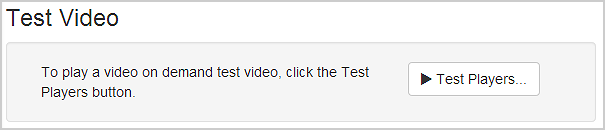
  3. In Streaming Engine Manager, in the Test Video area of the Home page, click Test Players.


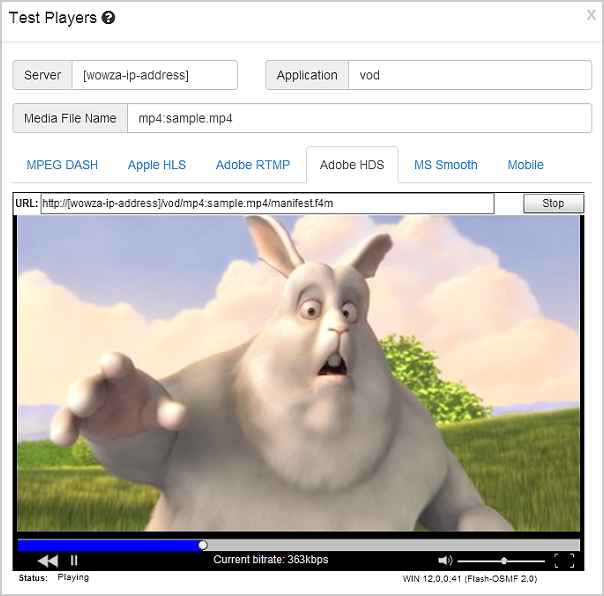
  4. In the Test Players dialog box, click the tab for the streaming protocol that you want to test and click Start.

The test players for VOD applications are configured to play the [install-dir]/content/sample.mp4 video file that's installed with the server software. The following figure shows the Adobe HDS test player streaming the sample video.


Next steps


Congratulations! When you can successfully play the sample.mp4 file, then Wowza Streaming Engine is running properly and you can start streaming content. To continue, see any of the following articles, depending on what you want to do next.


Originally Published: 12-02-2010.
Updated: For Wowza Streaming Engine 4.4.1 on 03-02-2016.

If you're having problems or want to discuss this article, post in our forum.


Posted by 1010
카테고리 없음2016. 6. 14. 01:55
반응형
1
2
3
4
5
<select id="call_spBslCheckoutRequest" statementType="CALLABLE" resultType="Integer">
        DECLARE @return_value int 
        EXEC SP_BSL_CHECKOUT_REQUEST #{reg_no}, #{request_cd}, @return_value OUTPUT
        SELECT @return_value
    </select>
cs


Posted by 1010
PostgreSQL2016. 3. 29. 14:50
반응형

For example, suppose you have a table containing the file names of images and you also want to store the image in a bytea column:

CREATE TABLE images (imgname text, img bytea);

To insert an image, you would use:

File file = new File("myimage.gif");
FileInputStream fis = new FileInputStream(file);
PreparedStatement ps = conn.prepareStatement("INSERT INTO images VALUES (?, ?)");
ps.setString(1, file.getName());
ps.setBinaryStream(2, fis, file.length());
ps.executeUpdate();
ps.close();
fis.close();

Here, setBinaryStream() transfers a set number of bytes from a stream into the column of type bytea. This also could have been done using the setBytes() method if the contents of the image was already in a byte[].

Retrieving an image is even easier. (We use PreparedStatement here, but the Statement class can equally be used.)

PreparedStatement ps = con.prepareStatement("SELECT img FROM images WHERE imgname = ?");
ps.setString(1, "myimage.gif");
ResultSet rs = ps.executeQuery();
if (rs != null) {
    while (rs.next()) {
        byte[] imgBytes = rs.getBytes(1);
        // use the data in some way here
    }
    rs.close();
}
ps.close();

Here the binary data was retrieved as an byte[]. You could have used a InputStream object instead.

Alternatively you could be storing a very large file and want to use the LargeObject API to store the file:

CREATE TABLE imageslo (imgname text, imgoid oid);

To insert an image, you would use:

// All LargeObject API calls must be within a transaction block
conn.setAutoCommit(false);

// Get the Large Object Manager to perform operations with
LargeObjectManager lobj = ((org.postgresql.PGConnection)conn).getLargeObjectAPI();

// Create a new large object
int oid = lobj.create(LargeObjectManager.READ | LargeObjectManager.WRITE);

// Open the large object for writing
LargeObject obj = lobj.open(oid, LargeObjectManager.WRITE);

// Now open the file
File file = new File("myimage.gif");
FileInputStream fis = new FileInputStream(file);

// Copy the data from the file to the large object
byte buf[] = new byte[2048];
int s, tl = 0;
while ((s = fis.read(buf, 0, 2048)) > 0) {
    obj.write(buf, 0, s);
    tl += s;
}

// Close the large object
obj.close();

// Now insert the row into imageslo
PreparedStatement ps = conn.prepareStatement("INSERT INTO imageslo VALUES (?, ?)");
ps.setString(1, file.getName());
ps.setInt(2, oid);
ps.executeUpdate();
ps.close();
fis.close();

Retrieving the image from the Large Object:

// All LargeObject API calls must be within a transaction block
conn.setAutoCommit(false);

// Get the Large Object Manager to perform operations with
LargeObjectManager lobj = ((org.postgresql.PGConnection)conn).getLargeObjectAPI();

PreparedStatement ps = con.prepareStatement("SELECT imgoid FROM imageslo WHERE imgname = ?");
ps.setString(1, "myimage.gif");
ResultSet rs = ps.executeQuery();
if (rs != null) {
    while (rs.next()) {
        // Open the large object for reading
        int oid = rs.getInt(1);
        LargeObject obj = lobj.open(oid, LargeObjectManager.READ);

        // Read the data
        byte buf[] = new byte[obj.size()];
        obj.read(buf, 0, obj.size());
        // Do something with the data read here

        // Close the object
        obj.close();
    }
    rs.close();
}
ps.close();


Posted by 1010
spring boot2016. 3. 24. 16:50
반응형

controller.java

1
2
3
4
5
6
7
8
9
10
11
12
    @RequestMapping(value = "/downLoadFile", method = RequestMethod.GET)
    public ModelAndView downLoadFile() {
        
        String fullPath = "D:\\fileupload\\2016\\3\\5da2e43f148146b2aa641d268ad99e47.txt";
        File downloadFile = new File(fullPath);
        
        ModelAndView mav = new ModelAndView();
        mav.addObject("downloadFile", downloadFile);
        mav.addObject("downloadFileName""한글.txt");
        mav.setViewName("downloadFileView");
        return mav;
    }
cs


view.java


1
2
3
4
5
6
7
8
9
10
11
12
13
14
15
16
17
18
19
20
21
22
23
24
25
26
27
28
29
30
31
32
33
34
35
36
37
38
39
40
41
42
43
44
45
46
47
48
49
50
51
52
53
54
55
56
57
58
59
 
import java.io.File;
import java.io.FileInputStream;
import java.io.OutputStream;
import java.io.UnsupportedEncodingException;
import java.net.URLEncoder;
import java.util.Map;
 
import javax.servlet.http.HttpServletRequest;
import javax.servlet.http.HttpServletResponse;
 
import org.springframework.stereotype.Component;
import org.springframework.util.FileCopyUtils;
import org.springframework.web.servlet.view.AbstractView;
 
@Component("downloadFileView")
public class DownloadFileView extends AbstractView{
 
    public DownloadFileView() {
        // TODO Auto-generated constructor stub
        setContentType("application/download; ccharset=utf-8");
    }
    
    @Override
    protected void renderMergedOutputModel(Map<String, Object> model, HttpServletRequest request, HttpServletResponse response) throws Exception {
        // TODO Auto-generated method stub
        File file = (File) model.get("downloadFile");
        String downloadFileName = (String) model.get("downloadFileName");
        
        response.setContentType(getContentType());
        response.setContentLength((int)file.length());
        setResponse(request,response,downloadFileName);
        response.setHeader("Content-Transfer-Encoding""binary");
         
        OutputStream out = response.getOutputStream();
        FileInputStream fis = null;
        try {
            fis = new FileInputStream(file);
            FileCopyUtils.copy(fis, out);
        } catch (Exception e) {
            e.printStackTrace();
        } finally {
            if (fis != null) { try { fis.close(); } catch (Exception e2) {}}
        }
        out.flush();
    }
    private void setResponse(HttpServletRequest request, HttpServletResponse response, String fileName) throws UnsupportedEncodingException{
        String userAgent = request.getHeader("User-Agent");
        if (userAgent.indexOf("MSIE 5.5"> -1) { // MS IE 5.5 이하
            response.setHeader("Content-Disposition""filename=" + URLEncoder.encode(fileName, "UTF-8").replaceAll("\\+""\\ "+ ";");
        } else if (userAgent.indexOf("MSIE"> -1) { // MS IE (보통은 6.x 이상 가정)
            response.setHeader("Content-Disposition""attachment; filename=" + java.net.URLEncoder.encode(fileName, "UTF-8").replaceAll("\\+""\\ "+ ";");
        } else if (userAgent.indexOf("Trident"> -1) { // MS IE 11
            response.setHeader("Content-Disposition""attachment; filename=" + java.net.URLEncoder.encode(fileName, "UTF-8").replaceAll("\\+""\\ "+ ";");
        } else { // 모질라나 오페라
            response.setHeader("Content-Disposition""attachment; filename=" + new String(fileName.getBytes("euc-kr"), "latin1").replaceAll("\\+""\\ "+ ";");
        }
    }
}
cs


Posted by 1010
spring boot2016. 3. 21. 13:59
반응형

기존 버전 

1
2
3
4
5
6
7
8
9
10
11
12
13
14
15
16
17
18
19
20
21
22
23
24
25
26
27
28
29
30
31
32
33
34
35
36
37
38
39
40
41
42
43
44
45
46
47
48
49
50
51
52
53
54
// import org.apache.poi.hssf.usermodel.*;
 
HSSFWorkbook wb = new HSSFWorkbook();
// create a new sheet
HSSFSheet s = wb.createSheet();
// declare a row object reference
HSSFRow r = null;
// declare a cell object reference
HSSFCell c = null;
// create 2 cell styles
HSSFCellStyle cs = wb.createCellStyle();
HSSFCellStyle cs2 = wb.createCellStyle();
HSSFDataFormat df = wb.createDataFormat();
 
// create 2 fonts objects
HSSFFont f = wb.createFont();
HSSFFont f2 = wb.createFont();
 
// Set font 1 to 12 point type, blue and bold
f.setFontHeightInPoints((short12);
f.setColor( HSSFColor.RED.index );
f.setBoldweight(HSSFFont.BOLDWEIGHT_BOLD);
 
// Set font 2 to 10 point type, red and bold
f2.setFontHeightInPoints((short10);
f2.setColor( HSSFFont.RED.index );
f2.setBoldweight(HSSFFont.BOLDWEIGHT_BOLD);
 
// Set cell style and formatting
cs.setFont(f);
cs.setDataFormat(df.getFormat("#,##0.0"));
 
// Set the other cell style and formatting
cs2.setBorderBottom(cs2.BORDER_THIN);
cs2.setDataFormat(HSSFDataFormat.getBuiltinFormat("text"));
cs2.setFont(f2);
 
 
// Define a few rows
for(short rownum = (short)0; rownum < 30; rownum++) {
    HSSFRow r = s.createRow(rownum);
    for(short cellnum = (short)0; cellnum < 10; cellnum += 2) {
        HSSFCell c = r.createCell(cellnum);
        HSSFCell c2 = r.createCell(cellnum+1);
 
        c.setCellValue((double)rownum + (cellnum/10));
        c2.setCellValue(new HSSFRichTextString("Hello! " + cellnum);
    }
}
 
// Save
FileOutputStream out = new FileOutputStream("workbook.xls");
wb.write(out);
out.close();
cs

new 버전

1
2
3
4
5
6
7
8
9
10
11
12
13
14
15
16
17
18
19
20
21
22
23
24
25
26
27
28
29
30
31
32
33
34
35
36
37
38
39
40
41
42
43
44
45
46
47
48
49
50
51
52
53
54
55
56
57
58
59
60
61
62
63
64
65
66
// import org.apache.poi.ss.usermodel.*;
 
Workbook[] wbs = new Workbook[] { new HSSFWorkbook(), new XSSFWorkbook() };
for(int i=0; i<wbs.length; i++) {
   Workbook wb = wbs[i];
   CreationHelper createHelper = wb.getCreationHelper();
 
   // create a new sheet
   Sheet s = wb.createSheet();
   // declare a row object reference
   Row r = null;
   // declare a cell object reference
   Cell c = null;
   // create 2 cell styles
   CellStyle cs = wb.createCellStyle();
   CellStyle cs2 = wb.createCellStyle();
   DataFormat df = wb.createDataFormat();
 
   // create 2 fonts objects
   Font f = wb.createFont();
   Font f2 = wb.createFont();
 
   // Set font 1 to 12 point type, blue and bold
   f.setFontHeightInPoints((short12);
   f.setColor( IndexedColors.RED.getIndex() );
   f.setBoldweight(Font.BOLDWEIGHT_BOLD);
 
   // Set font 2 to 10 point type, red and bold
   f2.setFontHeightInPoints((short10);
   f2.setColor( IndexedColors.RED.getIndex() );
   f2.setBoldweight(Font.BOLDWEIGHT_BOLD);
 
   // Set cell style and formatting
   cs.setFont(f);
   cs.setDataFormat(df.getFormat("#,##0.0"));
 
   // Set the other cell style and formatting
   cs2.setBorderBottom(cs2.BORDER_THIN);
   cs2.setDataFormat(df.getFormat("text"));
   cs2.setFont(f2);
 
 
   // Define a few rows
   for(int rownum = 0; rownum < 30; rownum++) {
       Row r = s.createRow(rownum);
       for(int cellnum = 0; cellnum < 10; cellnum += 2) {
           Cell c = r.createCell(cellnum);
           Cell c2 = r.createCell(cellnum+1);
   
           c.setCellValue((double)rownum + (cellnum/10));
           c2.setCellValue(
                 createHelper.createRichTextString("Hello! " + cellnum)
           );
       }
   }
   
   // Save
   String filename = "workbook.xls";
   if(wb instanceof XSSFWorkbook) {
     filename = filename + "x";
   }
 
   FileOutputStream out = new FileOutputStream(filename);
   wb.write(out);
   out.close();
}
cs


Posted by 1010
카테고리 없음2016. 3. 18. 17:03
반응형

ExcelConstant.java

1
2
3
4
5
6
7
8
public class ExcelConstant {
    public static final String EXCEL_VERSION = "excelVersion";
    public static final String EXCEL_VERSION_2003 = "2003";
    public static final String EXCEL_VERSION_2007 = "2007";
    public static final String EXCEL_FILE_NMAE = "excelFileName";
    public static final String EXCEL_DATA_LIST = "excelDataList";
}
 
cs


.controller.java

1
2
3
4
5
6
7
8
9
10
11
12
13
14
15
16
    @RequestMapping(value="/down", method=RequestMethod.GET)
    public ModelAndView excelDownload(
            @ApiParam(required=false, value="엑셀버전", name="excelversion") @RequestParam(value="excelversion", defaultValue = "2003"String excelversion) {
        DataMap dataMap = new DataMap();
        
        ModelAndView mav = new ModelAndView();
        if("2003".equals(excelversion)){
            mav.addObject(ExcelConstant.EXCEL_VERSION,ExcelConstant.EXCEL_VERSION_2003);
        }else{
            mav.addObject(ExcelConstant.EXCEL_VERSION,ExcelConstant.EXCEL_VERSION_2007);
        }
        mav.addObject(ExcelConstant.EXCEL_FILE_NMAE, "고객사목록");
        mav.addObject(ExcelConstant.EXCEL_DATA_LIST, sampleService.cust2(dataMap));
        mav.setViewName("excelDownloadView");
        return mav;
    }
cs


ExcelDownloadView.java

1
2
3
4
5
6
7
8
9
10
11
12
13
14
15
16
17
18
19
20
21
22
23
24
25
26
27
28
29
30
31
32
33
34
35
36
37
38
39
40
41
42
43
44
45
46
47
48
49
50
51
52
53
54
55
56
57
58
59
60
61
62
63
64
65
66
67
68
69
70
71
72
73
74
75
76
77
78
79
80
81
82
83
84
85
86
87
88
89
90
91
92
93
94
95
96
97
98
99
100
101
102
103
104
105
106
107
108
109
110
111
112
113
114
115
116
117
118
119
120
121
122
123
124
125
126
127
128
129
130
131
132
133
134
135
136
137
138
139
140
141
142
143
144
145
146
147
148
149
150
151
152
153
154
155
156
157
158
159
160
161
162
163
164
165
166
167
168
169
170
171
172
173
174
175
176
177
178
179
180
181
182
183
184
185
186
187
188
189
190
191
192
193
194
195
196
197
198
199
200
201
202
203
204
205
206
207
208
209
210
211
212
213
214
215
216
217
218
219
220
221
222
223
224
225
226
227
228
229
230
231
232
233
234
235
236
237
238
239
240
241
242
243
244
245
246
247
248
249
250
251
252
253
254
255
256
257
258
259
260
261
262
263
264
265
266
267
268
269
270
271
272
273
274
275
276
277
278
279
280
281
282
283
284
285
286
287
288
289
290
291
292
293
294
295
296
297
298
299
300
301
302
303
304
305
306
307
308
import java.io.UnsupportedEncodingException;
import java.net.URLEncoder;
import java.text.SimpleDateFormat;
import java.util.ArrayList;
import java.util.Date;
import java.util.List;
import java.util.Map;
 
import javax.servlet.ServletOutputStream;
import javax.servlet.http.HttpServletRequest;
import javax.servlet.http.HttpServletResponse;
 
import org.apache.poi.hssf.usermodel.HSSFCell;
import org.apache.poi.hssf.usermodel.HSSFCellStyle;
import org.apache.poi.hssf.usermodel.HSSFFont;
import org.apache.poi.hssf.usermodel.HSSFRow;
import org.apache.poi.hssf.usermodel.HSSFSheet;
import org.apache.poi.hssf.usermodel.HSSFWorkbook;
import org.apache.poi.ss.usermodel.CellStyle;
import org.apache.poi.ss.usermodel.IndexedColors;
import org.apache.poi.ss.usermodel.Workbook;
import org.apache.poi.ss.util.CellRangeAddress;
import org.apache.poi.ss.util.Region;
import org.apache.poi.xssf.usermodel.XSSFCell;
import org.apache.poi.xssf.usermodel.XSSFCellStyle;
import org.apache.poi.xssf.usermodel.XSSFFont;
import org.apache.poi.xssf.usermodel.XSSFRow;
import org.apache.poi.xssf.usermodel.XSSFSheet;
import org.apache.poi.xssf.usermodel.XSSFWorkbook;
import org.springframework.stereotype.Component;
import org.springframework.web.servlet.view.AbstractView;
 
import com.kt.aib.ws.config.util.DataMap;
 
@Component("excelDownloadView")
public class ExcelDownloadView extends AbstractView{
    
    public ExcelDownloadView() {
        // TODO Auto-generated constructor stub
        setContentType("application/download; ccharset=utf-8");
    }
 
    @Override
    protected void renderMergedOutputModel(Map<String, Object> model, HttpServletRequest request, HttpServletResponse response) throws Exception {
        // TODO Auto-generated method stub
        
        String excelVersion = (String)model.get(ExcelConstant.EXCEL_VERSION);
        String excelFileName = (String)model.get(ExcelConstant.EXCEL_FILE_NMAE);
        StringBuffer fileName = new StringBuffer();
        fileName.append(excelFileName+"_"+currentDate("YYYYMMDD_HHMMSS"));
        
        Workbook workbook;
        if("2003".equals(excelVersion)){
            workbook = new HSSFWorkbook();
            buildExcelDocument2003(model, workbook, request, response);
            fileName.append(".xls");
        }else{
            workbook = new XSSFWorkbook();
            buildExcelDocument2007(model, workbook, request, response);
            fileName.append(".xlsx");
        }
        setResponse(request,response,fileName.toString());
 
        ServletOutputStream out = response.getOutputStream();
        workbook.write(out);
        if(out != null){out.close();}
    }
 
    private void setResponse(HttpServletRequest request, HttpServletResponse response, String fileName) throws UnsupportedEncodingException{
        String userAgent = request.getHeader("User-Agent");
        if (userAgent.indexOf("MSIE 5.5"> -1) { // MS IE 5.5 이하
            response.setHeader("Content-Disposition""filename=" + URLEncoder.encode(fileName, "UTF-8").replaceAll("\\+""\\ "+ ";");
        } else if (userAgent.indexOf("MSIE"> -1) { // MS IE (보통은 6.x 이상 가정)
            response.setHeader("Content-Disposition""attachment; filename=" + java.net.URLEncoder.encode(fileName, "UTF-8").replaceAll("\\+""\\ "+ ";");
        } else if (userAgent.indexOf("Trident"> -1) { // MS IE 11
            response.setHeader("Content-Disposition""attachment; filename=" + java.net.URLEncoder.encode(fileName, "UTF-8").replaceAll("\\+""\\ "+ ";");
        } else { // 모질라나 오페라
            response.setHeader("Content-Disposition""attachment; filename=" + new String(fileName.getBytes("euc-kr"), "latin1").replaceAll("\\+""\\ "+ ";");
        }
    }
    
    private String currentDate(String format){
        SimpleDateFormat sd = new SimpleDateFormat(format);
        return sd.format(new Date()); 
    }
    
    private void buildExcelDocument2003(Map<String, Object> model, Workbook workbook, HttpServletRequest request, HttpServletResponse response) {
        // TODO Auto-generated method stub
        
        // init
        List<DataMap> excelDataList = (List<DataMap>)model.get(ExcelConstant.EXCEL_DATA_LIST);
        DataMap headerDataMap = excelDataList.get(0);
        
        int rowTitleNum = 0;
        int rowTitleSubNum = 2;
        int rowHeaderNum = 3;
        int rowDataNum = 4;
        
        // create style, font
        HSSFFont titleFont =  (HSSFFont)workbook.createFont();
        titleFont.setFontHeightInPoints((short)16);
//        titleFont.setBoldweight(HSSFFont.BOLDWEIGHT_BOLD);
        
        HSSFCellStyle  titleCellStyle = (HSSFCellStyle)workbook.createCellStyle();
        titleCellStyle.setBorderRight(HSSFCellStyle.BORDER_THIN);              
        titleCellStyle.setBorderLeft(HSSFCellStyle.BORDER_THIN);   
        titleCellStyle.setBorderTop(HSSFCellStyle.BORDER_THIN);   
        titleCellStyle.setBorderBottom(HSSFCellStyle.BORDER_THIN); 
        titleCellStyle.setFillForegroundColor(IndexedColors.GREY_25_PERCENT.index);
        titleCellStyle.setFillPattern(CellStyle.SOLID_FOREGROUND);
        titleCellStyle.setAlignment(HSSFCellStyle.ALIGN_CENTER_SELECTION);
        titleCellStyle.setVerticalAlignment(HSSFCellStyle.VERTICAL_CENTER);
        titleCellStyle.setFont(titleFont);
 
        HSSFCellStyle  titleSubCellStyle = (HSSFCellStyle)workbook.createCellStyle();
        titleSubCellStyle.setAlignment(HSSFCellStyle.ALIGN_RIGHT);
        titleSubCellStyle.setVerticalAlignment(HSSFCellStyle.VERTICAL_CENTER);
        
        HSSFCellStyle  headerCellStyle = (HSSFCellStyle)workbook.createCellStyle();
        headerCellStyle.setBorderRight(HSSFCellStyle.BORDER_THIN);              
        headerCellStyle.setBorderLeft(HSSFCellStyle.BORDER_THIN);   
        headerCellStyle.setBorderTop(HSSFCellStyle.BORDER_THIN);   
        headerCellStyle.setBorderBottom(HSSFCellStyle.BORDER_THIN);   
        headerCellStyle.setFillForegroundColor(IndexedColors.GREY_25_PERCENT.index);
        headerCellStyle.setFillPattern(CellStyle.SOLID_FOREGROUND);
 
        HSSFCellStyle  dataCellStyle = (HSSFCellStyle)workbook.createCellStyle();
        dataCellStyle.setBorderRight(HSSFCellStyle.BORDER_THIN);              
        dataCellStyle.setBorderLeft(HSSFCellStyle.BORDER_THIN);   
        dataCellStyle.setBorderTop(HSSFCellStyle.BORDER_THIN);   
        dataCellStyle.setBorderBottom(HSSFCellStyle.BORDER_THIN);   
        
        // create sheet
        HSSFSheet sheet = (HSSFSheet)workbook.createSheet("sheet01");
                
        // create title row
        HSSFRow titleRow = sheet.createRow(rowTitleNum);
        titleRow.setHeightInPoints(34);
        HSSFCell titleCell;
        for(int i = 0 ; i < headerDataMap.keyList().size() ; i++){
            titleCell = titleRow.createCell(i);
            if(i == 0){
                titleCell.setCellValue("TITLE");
            }
            titleCell.setCellStyle(titleCellStyle);
        }
        sheet.addMergedRegion(new CellRangeAddress(rowTitleNum,rowTitleNum,0,(headerDataMap.keyList().size()-1)));
        
        // create titleSub row
        HSSFRow titleSubRow = sheet.createRow(rowTitleSubNum);
        HSSFCell titleSubCell;
        for(int i = 0 ; i < headerDataMap.keyList().size() ; i++){
            titleSubCell = titleSubRow.createCell(i);
            if(i == 0){
                titleSubCell.setCellValue("작성일자 :"+currentDate("YYYY년 MM월 DD일 HH:MM:SS"));
            }
            titleSubCell.setCellStyle(titleSubCellStyle);
        }
        sheet.addMergedRegion(new CellRangeAddress(rowTitleSubNum,rowTitleSubNum,0,(headerDataMap.keyList().size()-1)));
        
        // create header row
        HSSFRow headerRow = sheet.createRow(rowHeaderNum);
        HSSFCell hearderCell;
        for(int i = 0 ; i < headerDataMap.keyList().size() ; i++){
            hearderCell = headerRow.createCell(i);
            hearderCell.setCellStyle(headerCellStyle);
            hearderCell.setCellValue((String)headerDataMap.get(i));
        }
        
        // create data row
        HSSFRow row = null;
        HSSFCell cell = null;
        for(int rowIdx = 0 ; rowIdx < excelDataList.size() ; rowIdx++){
            row = sheet.createRow(rowDataNum+rowIdx);
            DataMap rowData = excelDataList.get(rowIdx);
            for(int cellIdx = 0 ; cellIdx < headerDataMap.keyList().size() ; cellIdx++){
                cell = row.createCell(cellIdx);
                String cellKey = (String)headerDataMap.keyList().get(cellIdx);
                Object cellData = rowData.get(cellKey);
                if(cellData instanceof String){
                    cell.setCellValue((String)cellData);
                }else if(cellData instanceof Integer){
                    cell.setCellValue((Integer)cellData);
                }else if(cellData instanceof Long){
                    cell.setCellValue((Long)cellData);
                }else if(cellData instanceof Double){
                    cell.setCellValue((Double)cellData);
                }
                cell.setCellStyle(dataCellStyle);
            }
        }
        // create cell size 
        for(int i = 0 ; i < headerDataMap.keyList().size() ; i++){
//            sheet.autoSizeColumn(i,true);
        }
    }
    
    private void buildExcelDocument2007(Map<String, Object> model, Workbook workbook, HttpServletRequest request, HttpServletResponse response) {
        // TODO Auto-generated method stub
        
        // init
        List<DataMap> excelDataList = (List<DataMap>)model.get(ExcelConstant.EXCEL_DATA_LIST);
        DataMap headerDataMap = excelDataList.get(0);
        
        int rowTitleNum = 0;
        int rowTitleSubNum = 2;
        int rowHeaderNum = 3;
        int rowDataNum = 4;
        
        // create style, font
        XSSFFont titleFont =  (XSSFFont)workbook.createFont();
        titleFont.setFontHeightInPoints((short)16);
//        titleFont.setBoldweight(HSSFFont.BOLDWEIGHT_BOLD);
        
        XSSFCellStyle  titleCellStyle = (XSSFCellStyle)workbook.createCellStyle();
        titleCellStyle.setBorderRight(XSSFCellStyle.BORDER_THIN);              
        titleCellStyle.setBorderLeft(XSSFCellStyle.BORDER_THIN);   
        titleCellStyle.setBorderTop(XSSFCellStyle.BORDER_THIN);   
        titleCellStyle.setBorderBottom(XSSFCellStyle.BORDER_THIN); 
        titleCellStyle.setFillForegroundColor(IndexedColors.GREY_25_PERCENT.index);
        titleCellStyle.setFillPattern(CellStyle.SOLID_FOREGROUND);
        titleCellStyle.setAlignment(XSSFCellStyle.ALIGN_CENTER_SELECTION);
        titleCellStyle.setVerticalAlignment(XSSFCellStyle.VERTICAL_CENTER);
        titleCellStyle.setFont(titleFont);
 
        XSSFCellStyle  titleSubCellStyle = (XSSFCellStyle)workbook.createCellStyle();
        titleSubCellStyle.setAlignment(XSSFCellStyle.ALIGN_RIGHT);
        titleSubCellStyle.setVerticalAlignment(XSSFCellStyle.VERTICAL_CENTER);
        
        XSSFCellStyle  headerCellStyle = (XSSFCellStyle)workbook.createCellStyle();
        headerCellStyle.setBorderRight(XSSFCellStyle.BORDER_THIN);              
        headerCellStyle.setBorderLeft(XSSFCellStyle.BORDER_THIN);   
        headerCellStyle.setBorderTop(XSSFCellStyle.BORDER_THIN);   
        headerCellStyle.setBorderBottom(XSSFCellStyle.BORDER_THIN);   
        headerCellStyle.setFillForegroundColor(IndexedColors.GREY_25_PERCENT.index);
        headerCellStyle.setFillPattern(XSSFCellStyle.SOLID_FOREGROUND);
 
        XSSFCellStyle  dataCellStyle = (XSSFCellStyle)workbook.createCellStyle();
        dataCellStyle.setBorderRight(XSSFCellStyle.BORDER_THIN);              
        dataCellStyle.setBorderLeft(XSSFCellStyle.BORDER_THIN);   
        dataCellStyle.setBorderTop(XSSFCellStyle.BORDER_THIN);   
        dataCellStyle.setBorderBottom(XSSFCellStyle.BORDER_THIN);   
        
        // create sheet
        XSSFSheet sheet = (XSSFSheet)workbook.createSheet("sheet01");
                
        // create title row
        XSSFRow titleRow = sheet.createRow(rowTitleNum);
        titleRow.setHeightInPoints(34);
        XSSFCell titleCell;
        for(int i = 0 ; i < headerDataMap.keyList().size() ; i++){
            titleCell = titleRow.createCell(i);
            if(i == 0){
                titleCell.setCellValue("TITLE");
            }
            titleCell.setCellStyle(titleCellStyle);
        }
        sheet.addMergedRegion(new CellRangeAddress(rowTitleNum,rowTitleNum,0,(headerDataMap.keyList().size()-1)));
        
        // create titleSub row
        XSSFRow titleSubRow = sheet.createRow(rowTitleSubNum);
        XSSFCell titleSubCell;
        for(int i = 0 ; i < headerDataMap.keyList().size() ; i++){
            titleSubCell = titleSubRow.createCell(i);
            if(i == 0){
                titleSubCell.setCellValue("작성일자 :"+currentDate("YYYY년 MM월 DD일 HH:MM:SS"));
            }
            titleSubCell.setCellStyle(titleSubCellStyle);
        }
        sheet.addMergedRegion(new CellRangeAddress(rowTitleSubNum,rowTitleSubNum,0,(headerDataMap.keyList().size()-1)));
        
        // create header row
        XSSFRow headerRow = sheet.createRow(rowHeaderNum);
        XSSFCell hearderCell;
        for(int i = 0 ; i < headerDataMap.keyList().size() ; i++){
            hearderCell = headerRow.createCell(i);
            hearderCell.setCellStyle(headerCellStyle);
            hearderCell.setCellValue((String)headerDataMap.get(i));
        }
        
        // create data row
        XSSFRow row = null;
        XSSFCell cell = null;
        for(int rowIdx = 0 ; rowIdx < excelDataList.size() ; rowIdx++){
            row = sheet.createRow(rowDataNum+rowIdx);
            DataMap rowData = excelDataList.get(rowIdx);
            for(int cellIdx = 0 ; cellIdx < headerDataMap.keyList().size() ; cellIdx++){
                cell = row.createCell(cellIdx);
                String cellKey = (String)headerDataMap.keyList().get(cellIdx);
                Object cellData = rowData.get(cellKey);
                if(cellData instanceof String){
                    cell.setCellValue((String)cellData);
                }else if(cellData instanceof Integer){
                    cell.setCellValue((Integer)cellData);
                }else if(cellData instanceof Long){
                    cell.setCellValue((Long)cellData);
                }else if(cellData instanceof Double){
                    cell.setCellValue((Double)cellData);
                }
                cell.setCellStyle(dataCellStyle);
            }
        }
        // create cell size 
        for(int i = 0 ; i < headerDataMap.keyList().size() ; i++){
//            sheet.autoSizeColumn(i,true);
        }
    }
}
cs


Posted by 1010
spring boot2016. 3. 16. 13:01
반응형
1
2
3
4
5
6
7
8
9
 
    @Bean
    public SqlSessionFactoryBean sqlSessionFactoryForMyBatis() throws Exception  {
        SqlSessionFactoryBean sqlSessionFactoryBean = new SqlSessionFactoryBean();
        sqlSessionFactoryBean.setDataSource(dataSource());
        sqlSessionFactoryBean.setConfigLocation(applicationContext.getResource("classpath:mybatis-config.xml"));
        sqlSessionFactoryBean.setMapperLocations(new PathMatchingResourcePatternResolver().getResources("classpath:mapper/*.xml"));
        return sqlSessionFactoryBean; 
    }
cs


1
2
3
4
5
6
7
<?xml version="1.0" encoding="UTF-8"?>
<!DOCTYPE configuration PUBLIC "-//mybatis.org//DTD Config 3.0//EN" "http://mybatis.org/dtd/mybatis-3-config.dtd">
<configuration>
    <settings>
         <setting name="callSettersOnNulls" value="true"/>
    </settings>
</configuration>
cs


Posted by 1010
spring boot2016. 3. 15. 17:03
반응형
1
2
3
4
5
6
7
8
9
10
11
12
13
14
15
16
17
18
19
20
21
22
23
24
25
26
27
28
29
30
31
32
33
34
35
36
37
38
39
40
41
42
43
44
45
46
47
48
49
50
51
52
53
54
55
56
57
58
59
60
61
62
63
64
65
66
67
68
69
70
71
72
73
74
75
76
77
78
79
80
81
82
83
84
85
86
87
88
89
90
import javax.persistence.EntityNotFoundException;
 
import org.baeldung.web.exception.MyResourceNotFoundException;
import org.hibernate.exception.ConstraintViolationException;
import org.springframework.dao.DataAccessException;
import org.springframework.dao.DataIntegrityViolationException;
import org.springframework.dao.InvalidDataAccessApiUsageException;
import org.springframework.http.HttpHeaders;
import org.springframework.http.HttpStatus;
import org.springframework.http.ResponseEntity;
import org.springframework.http.converter.HttpMessageNotReadableException;
import org.springframework.security.access.AccessDeniedException;
import org.springframework.web.bind.MethodArgumentNotValidException;
import org.springframework.web.bind.annotation.ControllerAdvice;
import org.springframework.web.bind.annotation.ExceptionHandler;
import org.springframework.web.context.request.WebRequest;
import org.springframework.web.servlet.mvc.method.annotation.ResponseEntityExceptionHandler;
//import org.springframework.security.access.AccessDeniedException;
 
@ControllerAdvice
public class RestResponseEntityExceptionHandler extends ResponseEntityExceptionHandler {
 
    public RestResponseEntityExceptionHandler() {
        super();
    }
 
    // API
 
    // 400
 
    @ExceptionHandler({ ConstraintViolationException.class })
    public ResponseEntity<Object> handleBadRequest(final ConstraintViolationException ex, final WebRequest request) {
        final String bodyOfResponse = "This should be application specific";
        return handleExceptionInternal(ex, bodyOfResponse, new HttpHeaders(), HttpStatus.BAD_REQUEST, request);
    }
 
    @ExceptionHandler({ DataIntegrityViolationException.class })
    public ResponseEntity<Object> handleBadRequest(final DataIntegrityViolationException ex, final WebRequest request) {
        final String bodyOfResponse = "This should be application specific";
        return handleExceptionInternal(ex, bodyOfResponse, new HttpHeaders(), HttpStatus.BAD_REQUEST, request);
    }
 
    @Override
    protected ResponseEntity<Object> handleHttpMessageNotReadable(final HttpMessageNotReadableException ex, final HttpHeaders headers, final HttpStatus status, final WebRequest request) {
        final String bodyOfResponse = "This should be application specific";
        // ex.getCause() instanceof JsonMappingException, JsonParseException // for additional information later on
        return handleExceptionInternal(ex, bodyOfResponse, headers, HttpStatus.BAD_REQUEST, request);
    }
 
    @Override
    protected ResponseEntity<Object> handleMethodArgumentNotValid(final MethodArgumentNotValidException ex, final HttpHeaders headers, final HttpStatus status, final WebRequest request) {
        final String bodyOfResponse = "This should be application specific";
        return handleExceptionInternal(ex, bodyOfResponse, headers, HttpStatus.BAD_REQUEST, request);
    }
 
    // 403
    @ExceptionHandler({ AccessDeniedException.class })
    public ResponseEntity<Object> handleAccessDeniedException(final Exception ex, final WebRequest request) {
        System.out.println("request" + request.getUserPrincipal());
        return new ResponseEntity<Object>("Access denied message here"new HttpHeaders(), HttpStatus.FORBIDDEN);
    }
 
    // 404
 
    @ExceptionHandler(value = { EntityNotFoundException.class, MyResourceNotFoundException.class })
    protected ResponseEntity<Object> handleNotFound(final RuntimeException ex, final WebRequest request) {
        final String bodyOfResponse = "This should be application specific";
        return handleExceptionInternal(ex, bodyOfResponse, new HttpHeaders(), HttpStatus.NOT_FOUND, request);
    }
 
    // 409
 
    @ExceptionHandler({ InvalidDataAccessApiUsageException.class, DataAccessException.class })
    protected ResponseEntity<Object> handleConflict(final RuntimeException ex, final WebRequest request) {
        final String bodyOfResponse = "This should be application specific";
        return handleExceptionInternal(ex, bodyOfResponse, new HttpHeaders(), HttpStatus.CONFLICT, request);
    }
 
    // 412
 
    // 500
 
    @ExceptionHandler({ NullPointerException.class, IllegalArgumentException.class, IllegalStateException.class })
    /*500*/public ResponseEntity<Object> handleInternal(final RuntimeException ex, final WebRequest request) {
        logger.error("500 Status Code", ex);
        final String bodyOfResponse = "This should be application specific";
        return handleExceptionInternal(ex, bodyOfResponse, new HttpHeaders(), HttpStatus.INTERNAL_SERVER_ERROR, request);
    }
 
}
cs


Posted by 1010
PostgreSQL2016. 3. 11. 17:40
반응형
1
2
3
4
5
6
7
8
9
    WITH UPSERT AS         
    (            
    UPDATE table set             
        name = ''        
    WHERE id= ''        
    RETURNING *        
    )        
    INSERT INTO table(name)
    SELECT ''WHERE NOT EXISTS (SELECT id FROM UPSERT)
cs


Posted by 1010